| DOWNLOAD TRIAL | TOUR | REVIEWS | BUY NOW | UPGRADE | ON-LINE HELP |
Upgrade yaTimer
The latest version of yaTimer is version 2.8.2, released May 8th, 2013.
Download and run the installation program below to upgrade from any earlier version - just install it without uninstalling your old version and all your data will be migrated automatically.

|
Start Download - yaTimerSetup.exe (2.02 MB) |
Note for Internet Explorer 9 users – this is a brand new version of yaTimer and as such not yet commonly downloaded, when you get the warning yaTimer is not commonly downloaded please click “Actions”, than “More Options” and finally “Run anyway”.
Installation Instructions
- Click on the start download link above
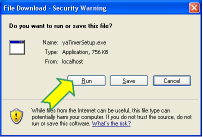
- A window will popup, click on the "Run" button
- Wait for the download to end
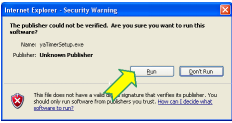
- Another window will popup, click on the "Run" again
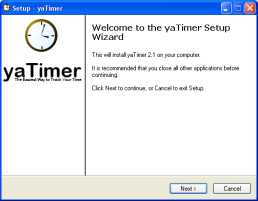
- This will get you to a standard setup program,
clicking "Next" a few times will get yaTimer installed on
your computer
If you don't already have Microsoft .Net Framework 3.0 it will be downloaded and installed automatically